Develop Apps with SiMa.ai Neat
What SiMa.ai Neat Is
SiMa.ai Neat is an application development framework for building and running
AI applications on the SiMa.ai platform. It provides Python and C++ APIs for
loading and running compiled model archives (.tar.gz), composing end-to-end
applications that use Modalix processing resources, and managing runtime
execution.
Within the broader SiMa.ai software stack, SiMa.ai Neat sits at the application layer. It builds on the SiMa.ai runtime stack and uses GStreamer underneath, so developers can focus on application logic instead of manually connecting lower-level runtime components.
For the shortest path to inference, load a compiled model archive as a Model
and run it directly. When an application needs multiple inputs, processing
stages, models, or outputs, compose those components as a Graph and build it
into a Run. The same public APIs support traditional and agentic development,
so teams can review, extend, and maintain applications using either workflow.
Choose Your Deployment Model
- Run on a Modalix DevKit — the application and Neat graph run directly on
the device. Use
simaai::neatorpyneatwithModel,Graph,Node, andRun. Start with Run / Inference. - Use a Modalix PCIe Card for co-processing — the application runs on a
host machine and sends tensors or images to the card for model execution. Use
simaai::neat::pcieorpyneatpcie. Start with PCIe Co-processing.
C++ or PyNeat
For applications running directly on a Modalix DevKit, SiMa.ai Neat provides the same core workflow through two language interfaces, so you can choose the one that fits your application:
- PyNeat — the Python bindings (
pyneat). Best for quick iteration, notebooks, data-science workflows, and running Python applications directly on the DevKit. - C++ — the native
simaai::neatAPI. Best for larger applications, tight integration with existing C++ codebases, and cross-compiled host-to-DevKit workflows.
Both use the same compiled model artifacts and Modalix runtime; the concepts and
pages below apply to either. PCIe co-processing provides separate C++ and Python
interfaces through simaai::neat::pcie and pyneatpcie.
Develop the application. SiMa.ai Neat maps it for you.
Modalix combines application cores, vision processing, machine learning acceleration, video engines, shared memory, and high-speed I/O in one SoC. Through its Python and C++ APIs, SiMa.ai Neat provides one programming model for building applications across the application-relevant processing resources in the system.
Build an end-to-end flow from a camera or network stream through processing and inference to the final result. SiMa.ai Neat constructs the runtime pipeline, selects accelerated implementations where applicable, and coordinates execution and data movement across Modalix. You focus on the application while SiMa.ai Neat handles the underlying hardware and runtime complexity.
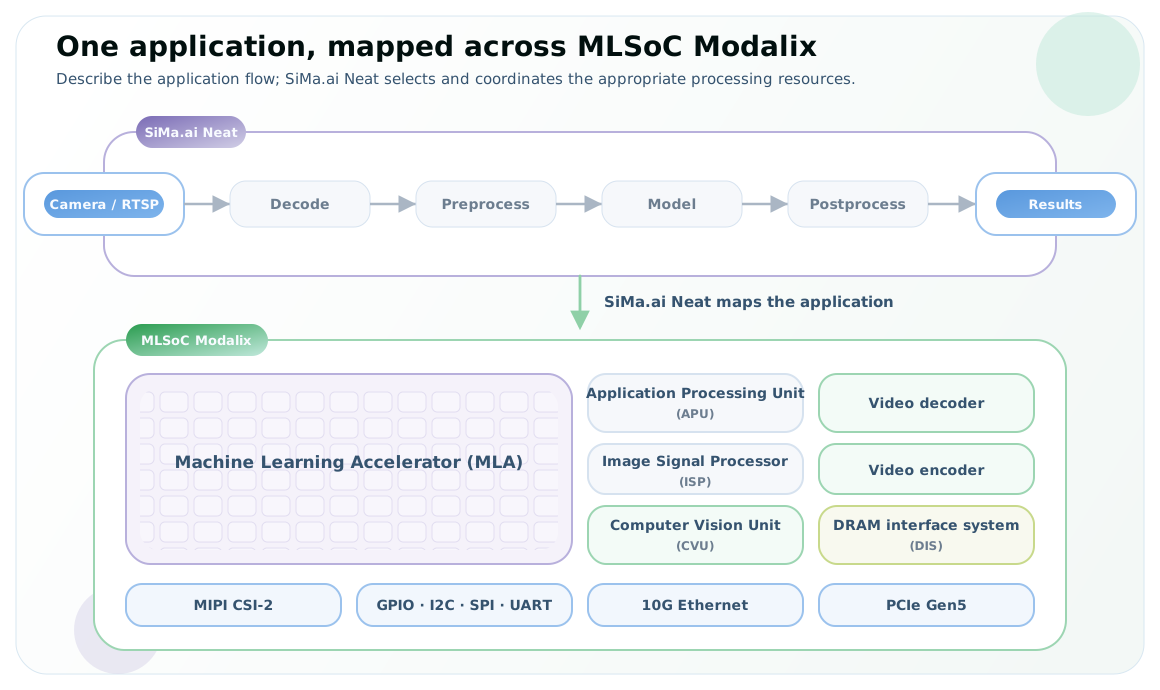
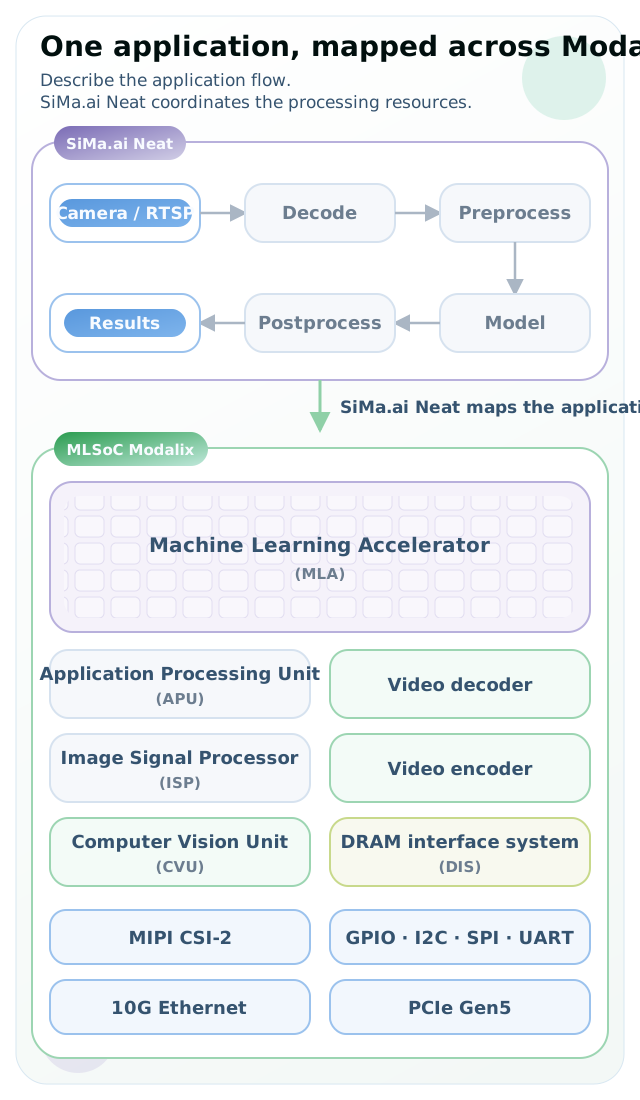
Illustrative mapping: the selected route depends on the application, model, and available hardware acceleration. See Processor backends for the technical mapping.
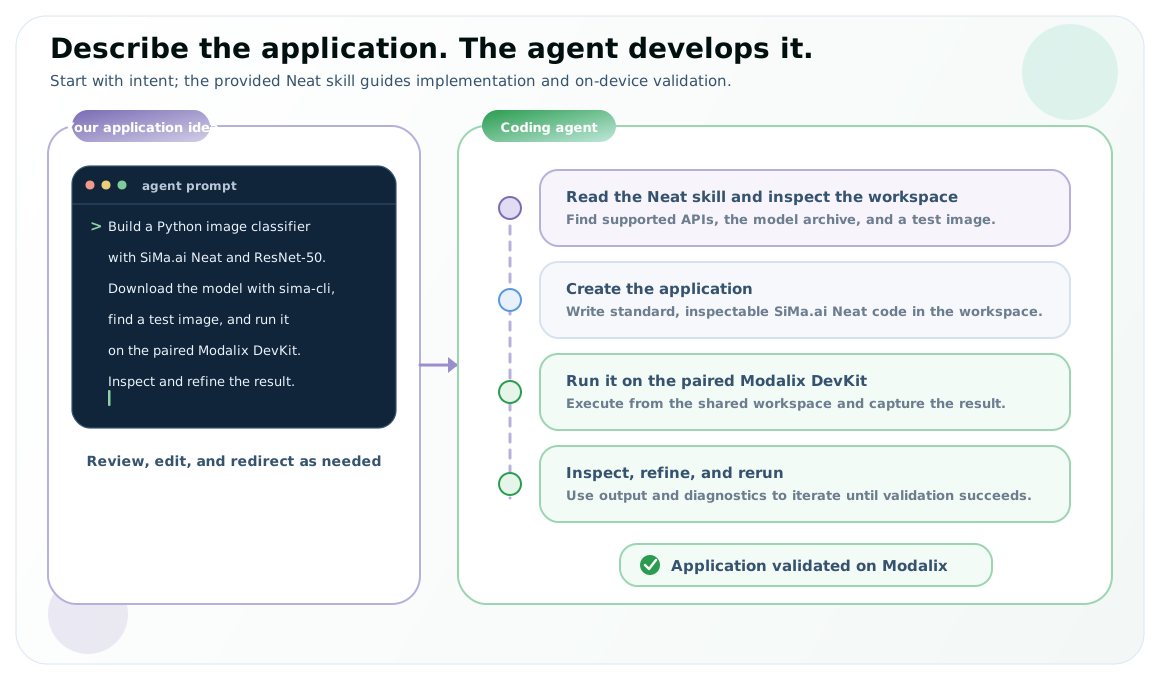
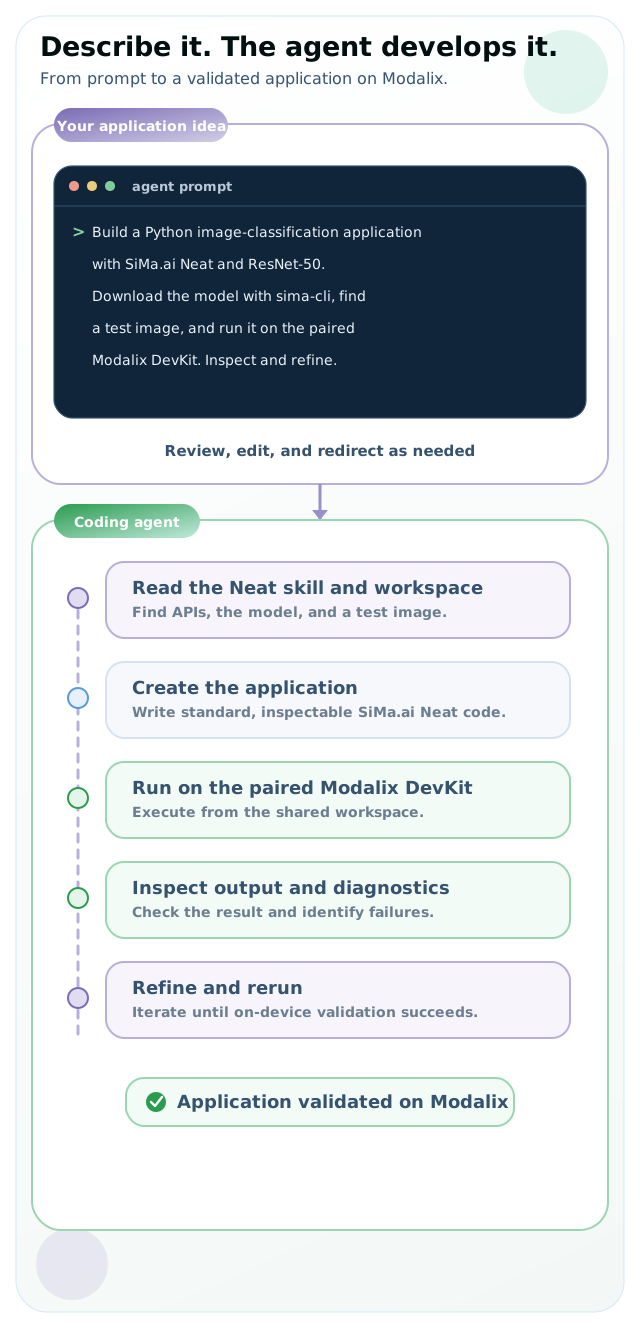
Describe your application. An agent with Neat skills develops it.
SiMa.ai Neat supports agentic application development out of the box through skills included with the Neat Development Environment (referred to as Neat SDK). These skills give coding agents the context to use the public Python and C++ APIs, follow established application patterns, and work with the Modalix development and validation workflow.
The recommended agentic path can create an application, run it on a paired Modalix DevKit, inspect results and diagnostics, and refine the implementation. Traditional development remains a parallel path for direct control through the same APIs. Both produce standard, inspectable SiMa.ai Neat applications, so you can review or modify agent-developed code and move between the two workflows as the application evolves. See Set up the Neat SDK to enable agentic development.
Requirements
Before building applications, complete the Getting Started setup:
- Install for the deployment model — for a Modalix DevKit, install the Neat
Library in the Neat SDK or directly on the device. For PCIe co-processing,
install
core/pciehoston the host machine and a compatible Neat Library on the Modalix PCIe Card. - Model artifact — use a precompiled model from the Model Zoo or compile your own model into a Modalix-ready archive.
- Runtime target — run native applications on the DevKit, or build and run a co-processing application directly on the host machine. Pair and sync the DevKit when cross-compiling native C++ applications in the Neat SDK.
The Hello Neat! pages help you run your first inference, the Development Workflow pages explain the main concepts in more detail, and the tutorials show how to apply them to real application patterns.
For complete applications you can study, adapt, and run, browse through the application examples.
Start Here
Start from a working environment and build up the core SiMa.ai Neat application workflow.
Build More
Use these sections when you are ready to build richer applications or inspect the API surface.